How Post Dates, Edit Histories, and Comment Flows Help Determine Whether Older Information Is Still Valid
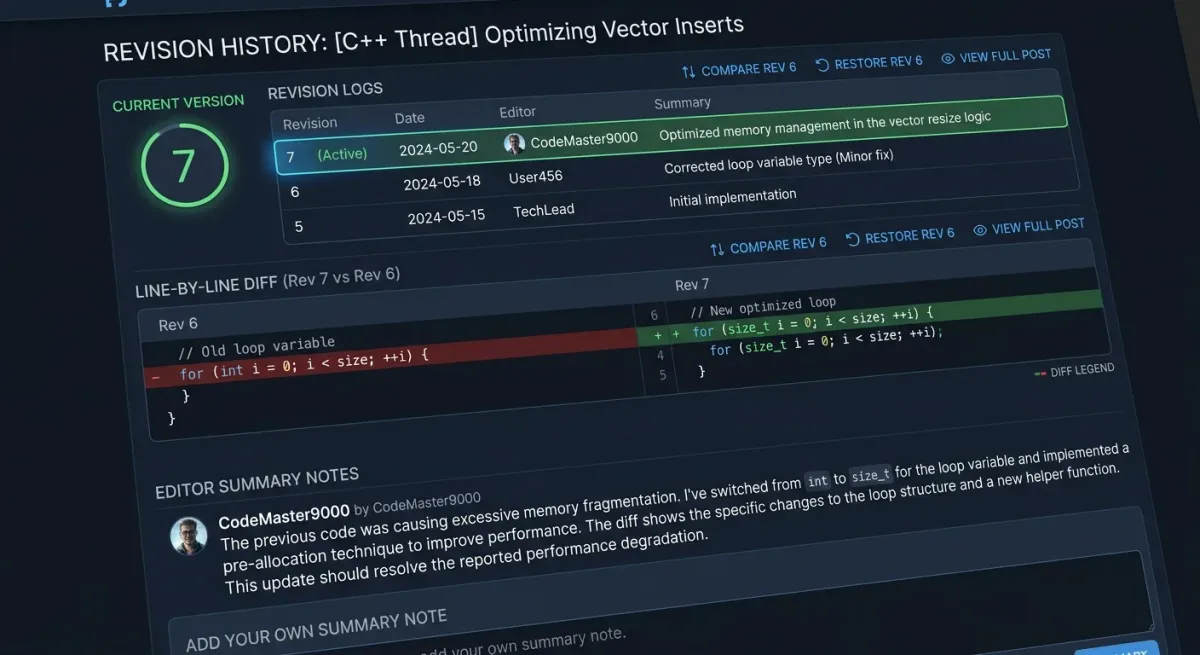
When searching for solutions to technical issues, software tutorials, legal regulations, or product details on the internet, users frequently encounter articles published years ago. Blindly applying outdated information not only wastes time but can also lead to severe consequences, such as system failures, financial inaccuracies, or regulatory violations. To accurately determine whether an older article remains valid, analyzing three core interface signals in unison Post Date, Edit History, and Comment Flows is the most effective and efficient approach.
3 Core Signals for Determining Whether Online Information Is Still Valid or Outdated
Online information is constantly shifting due to software updates, policy revisions, and market trends. The three factors below serve as quality control checkpoints to help you verify data accuracy before making decisions.
1. Post Date: A Starting Point, But Not Everything
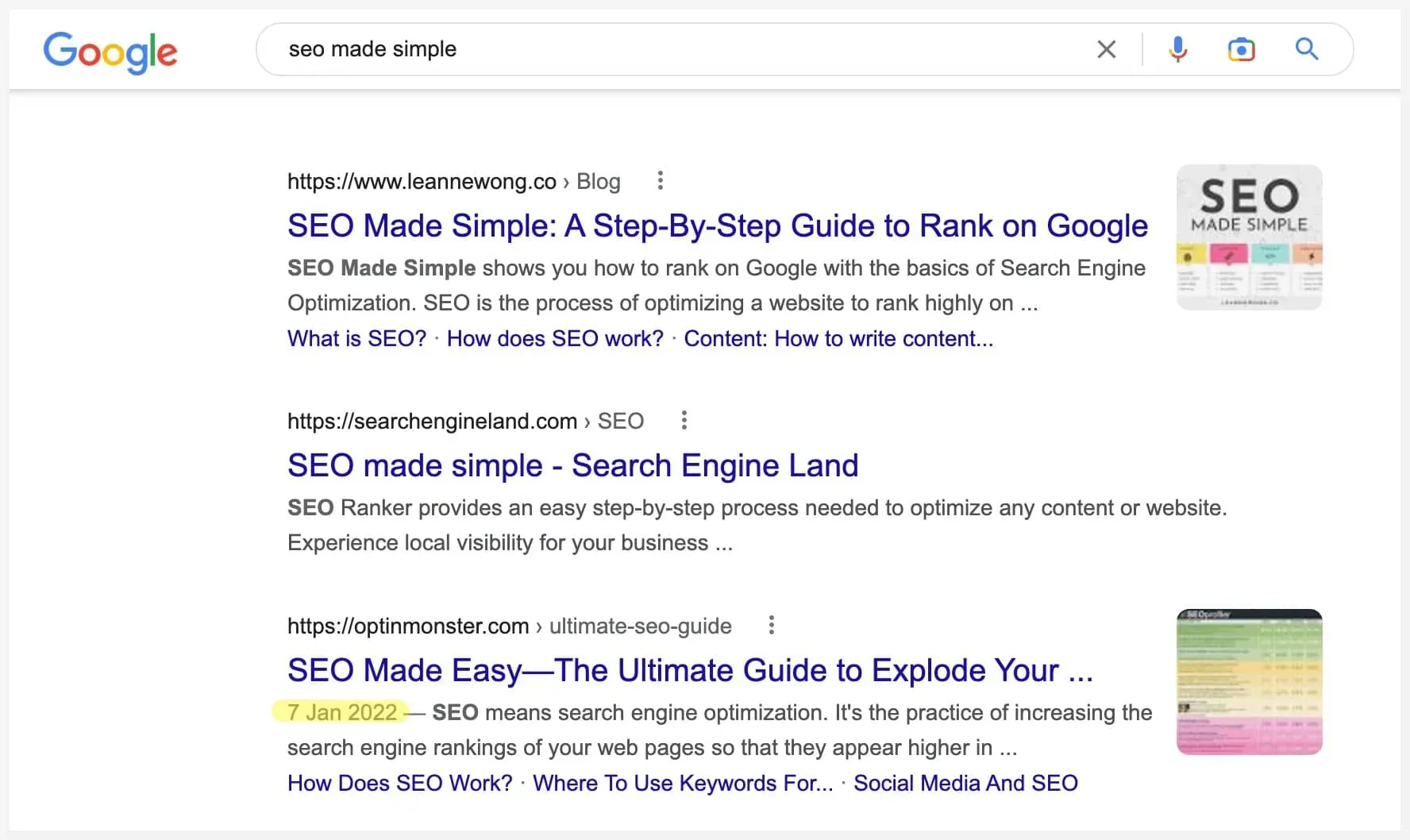
The post date is the most visible indicator located at the top of an article, beneath the author's byline, or in the footer. It marks the exact moment the content was first published.
Distinguishing Between Publish Date and Update Date
A software tutorial from 2020 might be completely useless today. However, if that article displays an "Updated on" tag with a recent timestamp, it indicates that the author or editor has reviewed and adjusted the content to reflect current reality.
It is crucial to distinguish between:
- Published Date: Indicates the original age of the information.
- Updated Date: Indicates the most recent time the content was audited, revised, or supplemented.
Warning Against "Freshness Manipulation"
Many websites employ tactics that automatically alter the "Updated Date" in their content management system (CMS) or Schema Markup to fool search engine algorithms into perceiving content as fresh. Therefore, if an article lists an update date of "today" while screenshots, software versions, or reference links remain stuck in the past, it is a clear sign of freshness manipulation.
2. Edit History: Transparency in Content Changes
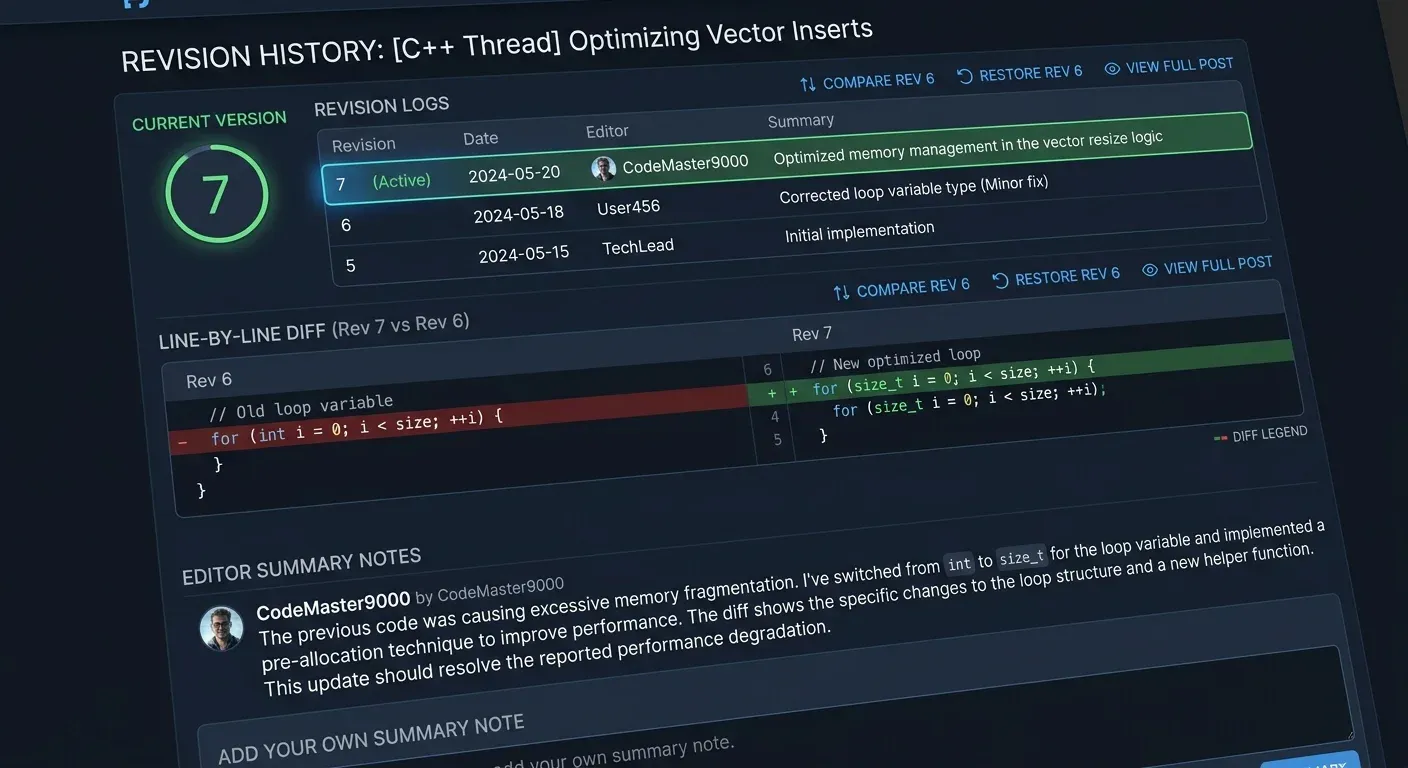
An edit history provides a much higher degree of verification than a generic update date. This element details exactly what text was deleted, modified, or added over time.
Edit Logs on Interactive Platforms (Stack Overflow, Wiki, GitHub)
On specialized technical platforms like Stack Overflow, Wikipedia, or GitHub, the revision history (or Edit Log) is publicly accessible. Readers can click on timestamps to view line-by-line "Diff" comparisons:
- Minor Edit: Fixes typos, formatting errors, or broken links.
- Major Revision: Rewrites code snippets, updates algorithms, or restructures answers to reflect the latest solutions.
If the revision log shows that the core code snippet or solution was updated by the community last month, you can apply it with confidence.
"Edited" Markers on Social Media and News Websites
On forums and social media platforms like Facebook or Reddit, an "Edited" badge appears next to the timestamp. Checking this log reveals whether the author changed their perspective, corrected figures, or added crucial caveats after receiving community feedback.
3. Comment Flows: The Collective Intelligence of Readers
The comment section at the bottom of an article provides the most accurate real-world snapshot of whether information remains effective today.
Spotting "Broken / No Longer Working" Signals From Readers
Even if an article lacks a clear update timestamp, the comment stream offers immediate clarity:
- If multiple recent comments state "This method no longer works in v12", "The link is dead", or "This policy changed last month", the article has lost its validity.
- Conversely, if readers consistently comment "Worked perfectly for me today", it serves as strong proof that the information remains accurate.
Filtering by Newest Comments for Real-Time Verification
Always switch comment sorting from "Default / Top" to "Newest First." Comments from years ago may praise a solution when it worked, but only recent comments reflect its present functionality.
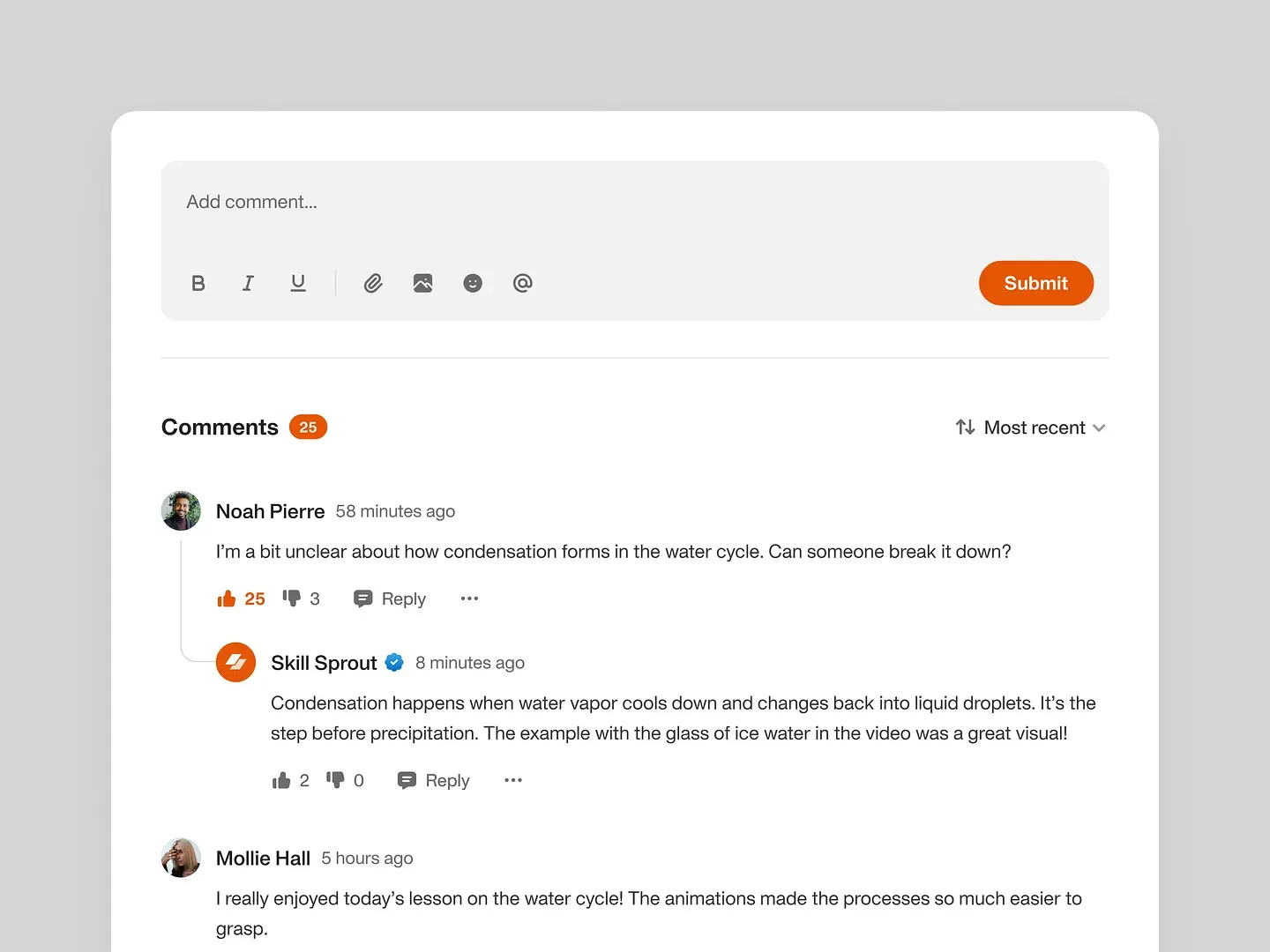
[IMAGE PLACEHOLDER | Search Keywords: online comment section feedback discussion timestamp sorting | AI Brief: Digital screenshot mockup of a forum comment section sorted by "Newest First", showing active user discussions confirming whether a tutorial still works. | Alt Text: Evaluating information reliability through comment flows and reader feedback.]
Process to Quickly Assess the Validity of Older Articles
To avoid being misled by outdated information, follow this 3-step verification process whenever encountering an older article.
Evaluate Schema Timestamps and Article Context
Check the publication and update timestamps on the page. Compare these dates against the nature of the topic. Fast-changing subjects (pricing, technology, visa procedures) that are over 6 months old without an update tag should be approached with caution.
Inspect Edit Logs or Revision Badges
If the site provides an Edit History, open the log to see when the last modification occurred and which section it affected. If no log exists, look for an Editor's Note explaining the reason for any revisions.
Cross-Reference Recent Comment Flows
Scroll to the comment section and sort by the newest entries. Look for feedback from the past 1 to 3 months. If comments are disabled or heavily moderated (showing only generic praise), cross-reference the topic on independent platforms like Reddit or Stack Overflow.
FAQ
How can I spot an article where the update date was changed without actual content updates?
Look for red flags like outdated screenshot interfaces, broken external links (404 errors), or use the Wayback Machine (Archive.org) to compare the current page version against historical archives.
What should I do if an article displays no publication or update date at all?
Check the timestamps of the earliest user comments, inspect image upload dates in the page source code (F12 / Inspect Element), or use the Google search operator inurl:article_url to view Google's indexed timestamp.
Should I rely entirely on comment section feedback to judge an article?
No. Individual comments can contain user error, incorrect configurations, or personal bias. Only trust comment feedback when multiple independent users across different accounts confirm the same outcome.
How does a forum/wiki Edit History differ from an "Updated on" badge on a blog?
A forum or wiki Edit History is a system-generated log recording every character change made by users or administrators. In contrast, an "Updated on" badge on a blog is often manually entered by the author or automatically generated by a CMS whenever the post is re-saved.