Situations Where Direct Downloads, Cloud Sharing, and P2P Distribution Are Suitable for Transferring Large Files
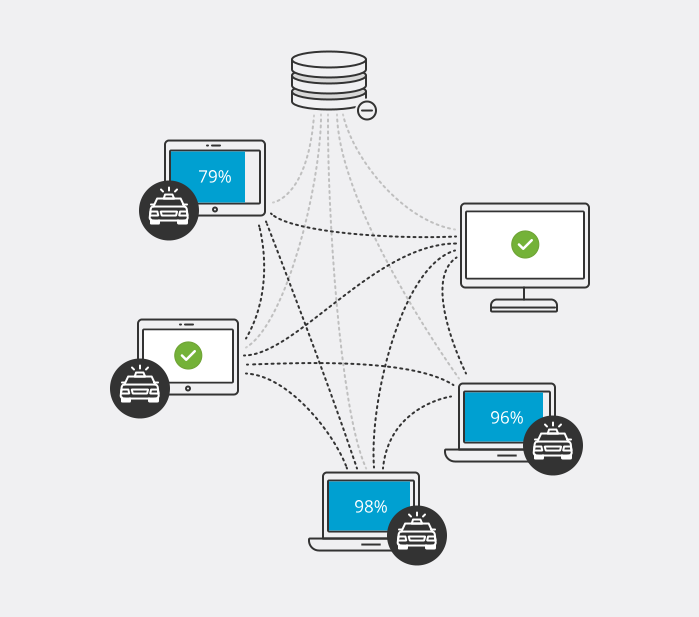
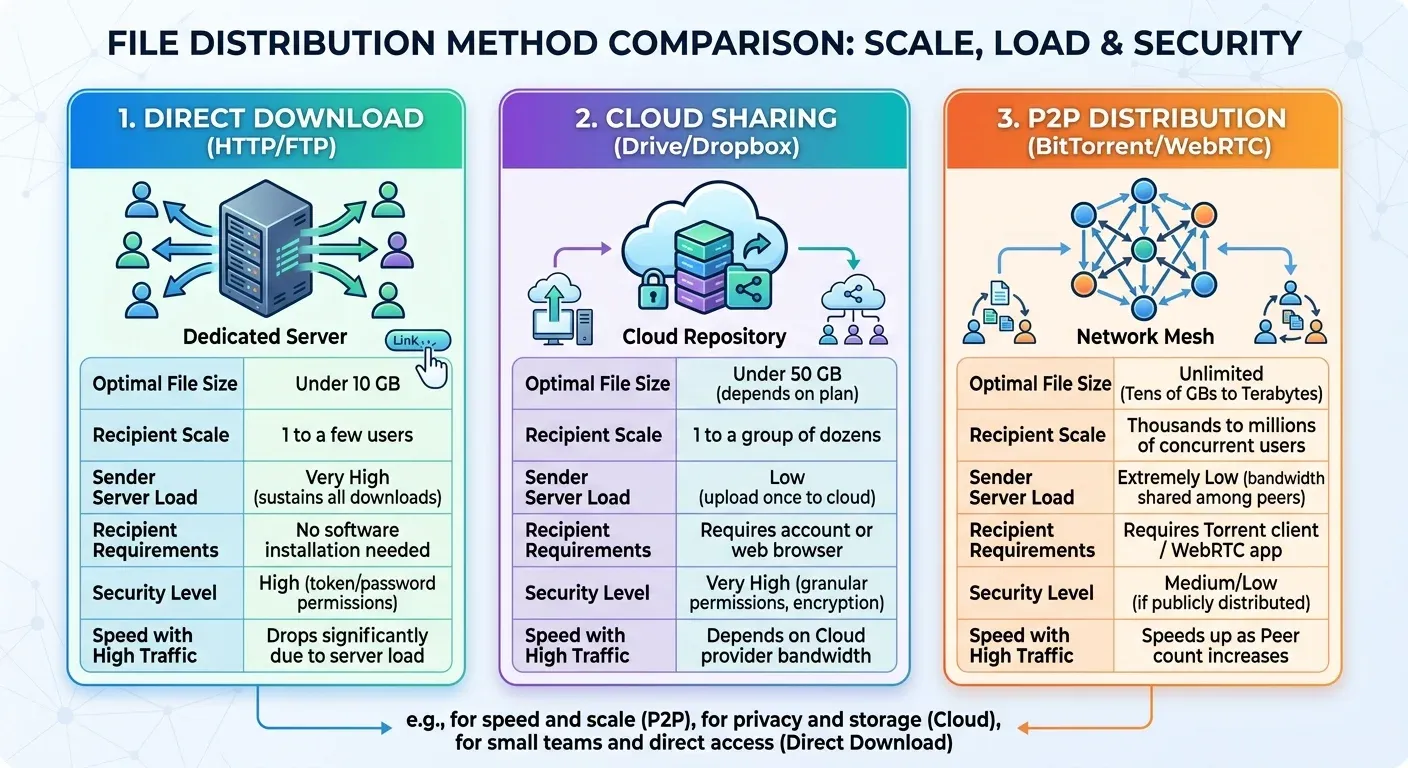
Transferring large files is a routine task for IT engineers, media production teams, and digital enterprises. Choosing the wrong transfer method not only causes interrupted downloads and excessive bandwidth costs but also introduces serious data security risks. Each mechanism Direct Downloads (server-based downloads), Cloud Sharing (cloud computing storage), and P2P Distribution (peer-to-peer networks) possesses its own technical architecture. This article provides a detailed analysis of practical scenarios to help you select the optimal method for your specific requirements.
Key Criteria for Choosing a Large File Transfer Method
Before selecting your transfer infrastructure, evaluate your data transfer needs based on 5 key criteria:
- File size
- Number of recipients
- Sender bandwidth and infrastructure
- Security level & access control
- Recipient-side requirements
When Should You Use Direct Downloads (HTTP/FTP/Server-based)?
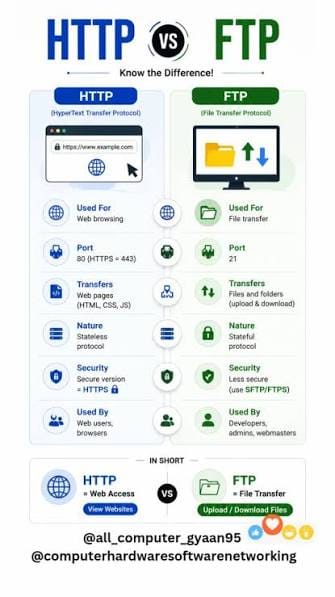
Direct Downloads is a traditional file transfer method where data is hosted on a single server (web server, FTP server, or internal storage server). Recipients use a direct URL to download the file directly to their personal devices.
Optimal Use Cases
HTTP/HTTPS protocols are ideal for distributing official software releases or firmware updates when an organization owns dedicated servers and wants to offer a direct download link without relying on third-party intermediaries. This method is also highly effective for 1-to-1 file transfers within local area networks (LAN) or enterprise VPNs, where both sender and recipient operate on the same high-speed network infrastructure. In addition, HTTP/HTTPS is particularly suitable for non-technical users, as recipients can simply click a browser link to initiate the download immediately without creating an account or installing additional software.
Advantages and Infrastructure Bottlenecks
- Advantages: Delivers an optimal end-user experience, provides full control over hosted files, and allows easy integration of token authentication, link expiration, or password protection.
- Bottlenecks: The server's upload bandwidth acts as the primary bottleneck. If hundreds of users attempt to download a 10GB file simultaneously, the server can easily overload or suffer network congestion. Furthermore, if the recipient's network connection is unstable, the download progress may fail and require a complete restart unless the server supports Resume capabilities (HTTP Range Requests).
When Is Cloud Sharing (Google Drive, Dropbox, OneDrive) the Top Choice?
Cloud Sharing shifts the entire storage and bandwidth burden to cloud service providers' data centers. You upload the file to the cloud once, then grant access permissions to relevant recipients.
Practical Application Scenarios
Cloud storage services are widely used for team collaboration and project management, particularly for content creators, graphic designers, or video editors who need to share large project files for review and feedback from colleagues and clients. It is also an ideal solution for asynchronous file sharing when senders and recipients operate in different time zones or are not online at the same time. Additionally, cloud storage effectively addresses enterprise document sharing requirements that demand granular permissions, enabling precise control over view or edit rights and link expiration dates.
Control Advantages and Cost/Capacity Constraints
- Advantages: Completely frees up the sender's upload bandwidth once the initial upload completes. It offers automatic synchronization, built-in version history management, and in-browser file previews.
- Constraints: File upload sizes are limited by subscription tiers (free tiers typically cap files between 2GB and 15GB). Cloud storage costs scale significantly when managing multi-terabyte data repositories. Moreover, download speeds depend heavily on the cloud provider's bandwidth throttling policies for individual accounts.
P2P Distribution (Peer-to-Peer): A Breakthrough for Large-Scale Distribution
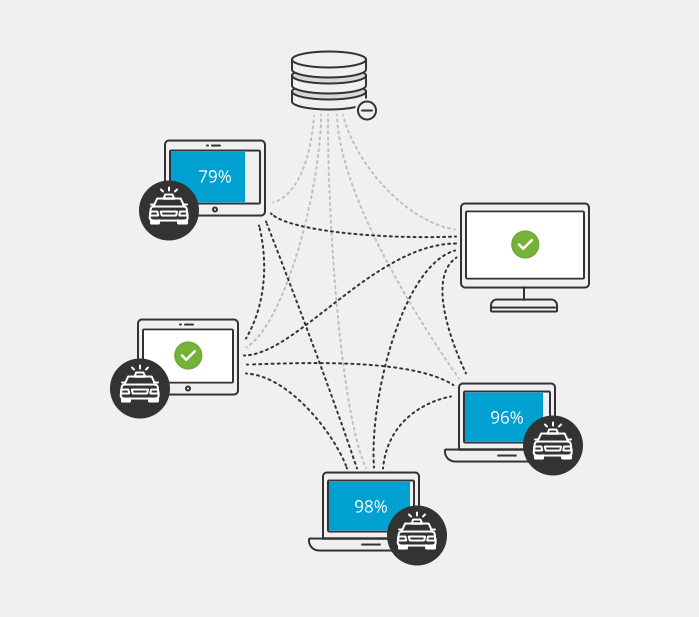
Unlike traditional Client-Server models, P2P (Peer-to-Peer) transforms every participating client device into a micro-server that shares already downloaded data chunks with other devices on the network. The most prevalent protocol for this mechanism is BitTorrent.
Ideal Scenarios
Peer-to-peer networks are exceptionally efficient for distributing massive game installers or operating system ISO files. Major game publishers like Blizzard and Riot Games leverage internal P2P networks to deliver game updates ranging into tens of gigabytes to millions of concurrent players without overwhelming central server clusters. P2P is also suited for distributing massive datasets exceeding 100 GB, such as open-source code repositories, scientific research data, or large media archives to multiple destination endpoints. Furthermore, modern WebRTC-based P2P tools like Snapdrop or Wormhole enable direct, browser-to-browser transfers between two devices without storing files on intermediate servers.
Bandwidth Advantages and Security Risks
- Advantages: As the number of active participants (Seeders/Peers) increases, P2P transfer speeds and stability actually improve. It drastically reduces server infrastructure costs for data publishers while providing automatic chunking and robust resume capabilities during unexpected network disconnects.
- Constraints: Requires recipients to install dedicated P2P Torrent clients (or use compatible WebRTC web applications). Transfers depend entirely on file availability from active Seeders if no seeders remain, the file becomes unavailable. P2P is unsuitable for confidential enterprise documents on public networks, as data chunks and peer IP addresses are exposed across the swarm.